
WAN 3.0 AI Video Generator
Alibaba WAN family
WAN 3.0 is a third-party AI video generation model available through VIBE. Use it to create AI video from a prompt or a supported image input, depending on the workflow in the app.
WAN 3.0 details VIBE AI VIDEO GENERATOR
Turn ideas and images into AI-generated videos with VIBE. Choose from WAN 3.0, Seedance 2.5, Happy Horse 1.1, Sora 2, Veo 3.1 and more—all from one app.
Available for iOS & Android
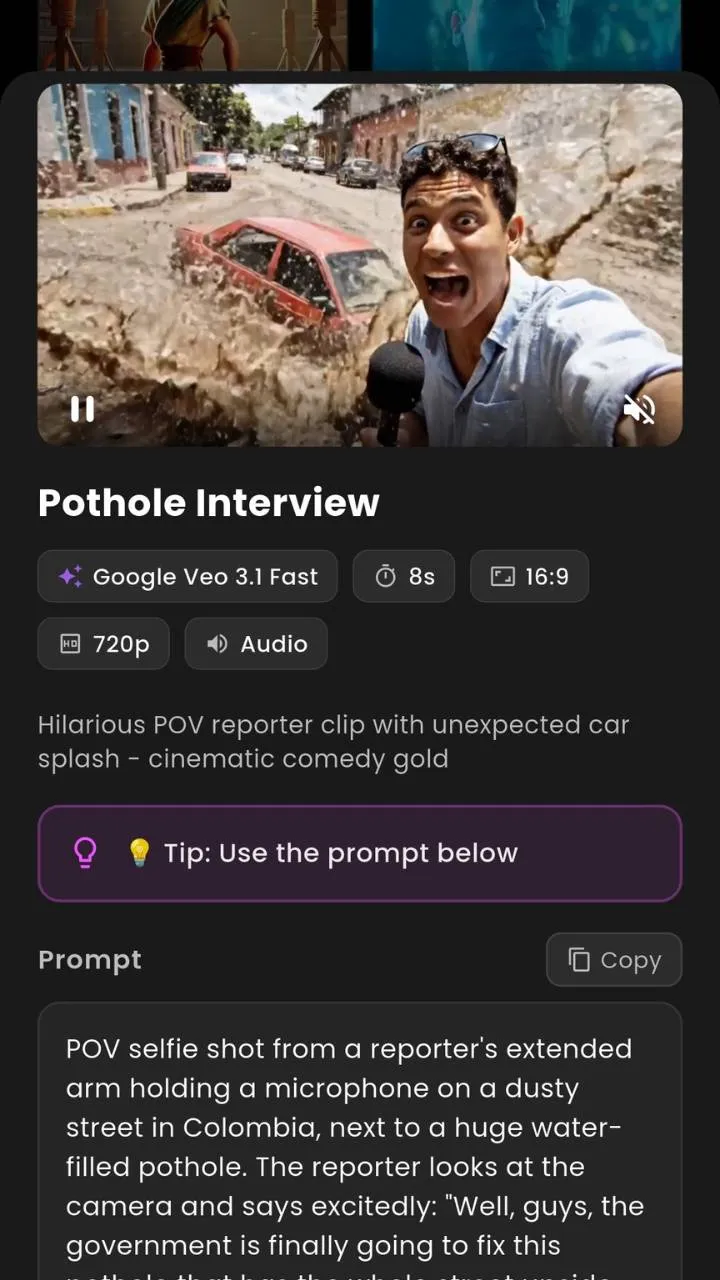
VIDEO EXAMPLES
Real clips from prompts. Cinematic, animated, fantasy, landscape, and social-ready. Model labels appear only when the clip is a verified showcase for that model.
WHAT IS VIBE?
VIBE is an AI Video Generator app for iOS and Android that lets users create AI-generated videos using multiple video AI models, including WAN 3.0, Seedance 2.5, Happy Horse 1.1, Sora 2, Veo 3.1 and other supported models.
Use text-to-video when you want to describe a scene. Use image-to-video when you already have a photo, illustration, product shot, or artwork. VIBE is the app. WAN, Seedance, Sora, Veo, and Happy Horse are video-generation models available through it.
Read the AI video generator guide, or jump into text to video AI and image to video AI.
AI VIDEO MODELS
Pick the model that matches the clip you want. These are third-party video-generation models available through VIBE, not other names for the app.
Alibaba WAN family
WAN 3.0 is a third-party AI video generation model available through VIBE. Use it to create AI video from a prompt or a supported image input, depending on the workflow in the app.
WAN 3.0 detailsByteDance Seedance family
Seedance 2.5 is a third-party AI video model available through VIBE. It is one of the Seedance models you can pick when you want a Seedance AI Video Generator workflow on iPhone or Android.
Seedance 2.5 detailsOpenAI
Sora 2 is a third-party video and audio generation model from OpenAI. When the workflow is supported in VIBE, you can create Sora 2 AI videos from text or a compatible image without leaving the app.
Sora 2 detailsGoogle DeepMind
Google Veo 3.1 is Google DeepMind’s video generation model for cinematic clips with native audio. VIBE lets you create Google Veo 3.1 AI videos on iOS and Android when that model is selected.
Google Veo 3.1 detailsHappy Horse
Happy Horse 1.1 is a supported AI video generation model in VIBE. Choose it when you want another look for text-to-video or image-to-video, depending on the options shown in the app.
Happy Horse 1.1 detailsAdditional supported AI video models live in the same app, including Kling, PixVerse, LTX, Hailuo, Grok Imagine Video, WAN 2.2, WAN 2.6, and more.
See every modelTEXT TO VIDEO AI
Describe the scene you want and generate a video using a compatible AI model. This is text to video AI: prompt to video, on your phone.
“Cinematic drone shot flying over a futuristic city at night, neon reflections, slow camera movement.”Create From Text
 📝 prompt → clip
 🖼️ still → motion
IMAGE TO VIDEO AI
Image → AI model → video. Start from photos, illustrations, AI images, product images, artwork, or landscapes. Animate an image with AI when the selected model supports image input.
Animate an ImageAI video models can differ in visual interpretation, motion, supported inputs, generation options, speed, and cost. No model is universally “best.” Use VIBE to try more than one on the same idea.
| Model | Provider | Good starting point |
|---|---|---|
| Google Veo 3.1 | Google DeepMind | Cinematic clips with native audio |
| Sora 2 | OpenAI | Physics-aware scenes and synced sound |
| WAN 3.0 | WAN family | Another look for prompt-to-video |
| Seedance 2.5 | Seedance family | Motion-heavy social and story clips |
| Happy Horse 1.1 | Happy Horse | Alternate style on the same prompt |
Compare in depth: Sora vs Veo and AI video model comparison.
Every name below is a video model you can select in the VIBE AI Video Generator app. VIBE did not build these models.
Google DeepMind’s Veo 3.1 video model, available as a selectable AI video model inside VIBE.
Open Google Veo 3.1 pageA lighter Veo 3.1 option in VIBE when you want the Veo look with a lighter generation path.
Veo 3.1 Fast is the quicker Veo 3.1 workflow in VIBE for trying prompts and iterating clips.
Happy Horse 1.1 is a supported video-generation model in the VIBE app.
Open Happy Horse 1.1 pageCreate Sora 2 AI videos in VIBE when the Sora 2 workflow is available for your prompt or image.
Open Sora 2 pageSora 2 Pro is the higher-fidelity Sora 2 option, available through supported VIBE workflows.
LTX 2 is a supported AI video model you can pick inside VIBE.
PixVerse 5.6 is available in VIBE as another AI video generation model.
Kling o3 is a Kling-family video model available through VIBE.
Kling 3.0 is a supported Kling video model in the VIBE AI Video Generator app.
Seedance Pro Fast is a faster Seedance workflow available in VIBE.
Seedance 2.0 is a Seedance video model you can run from VIBE on iOS and Android.
Seedance 2.5 is available in VIBE as a Seedance AI Video Generator option.
Open Seedance 2.5 pageGrok Imagine Video is a supported xAI video model inside VIBE.
Vidu Q3 is one of the additional AI video models available in VIBE.
Pruna 5 is a supported AI video generation model in VIBE.
Luma Ray Flash 2 is a Luma video model available through VIBE.
WAN 2.6 is a WAN-family video model you can select in VIBE.
WAN 2.2 is an earlier WAN video model still available in VIBE.
WAN 3.0 is a WAN 3.0 video generator option inside the VIBE app.
Open WAN 3.0 pageHailuo is a MiniMax video model available as a selectable option in VIBE.
Make short clips for TikTok, Instagram Reels, and YouTube Shorts from a prompt or a still.
Turn a concept into a moving scene when you need a video, not another static mock.
Explore campaign looks, product motion, and visual concepts before you shoot anything.
Bring illustrations, photos, and concept art into motion without leaving your phone.
Try multiple AI video models in one app instead of hopping between separate workflows.

VIBE is an AI video generator for iPhone and an AI video generator for Android. Same app idea on both: pick a model, add a prompt or image, generate.
Available for iOS & Android


Official listings: Apple App Store and Google Play.
FROM THE BLOG
Best app
VIBE is the best AI video generator app for iPhone and Android if you want multiple AI video models, text to video, and image to video in one place.

Sora vs Veo
Sora 2 vs Veo 3.1 compared as AI video models. See how they differ and how VIBE lets you run both on iPhone and Android.
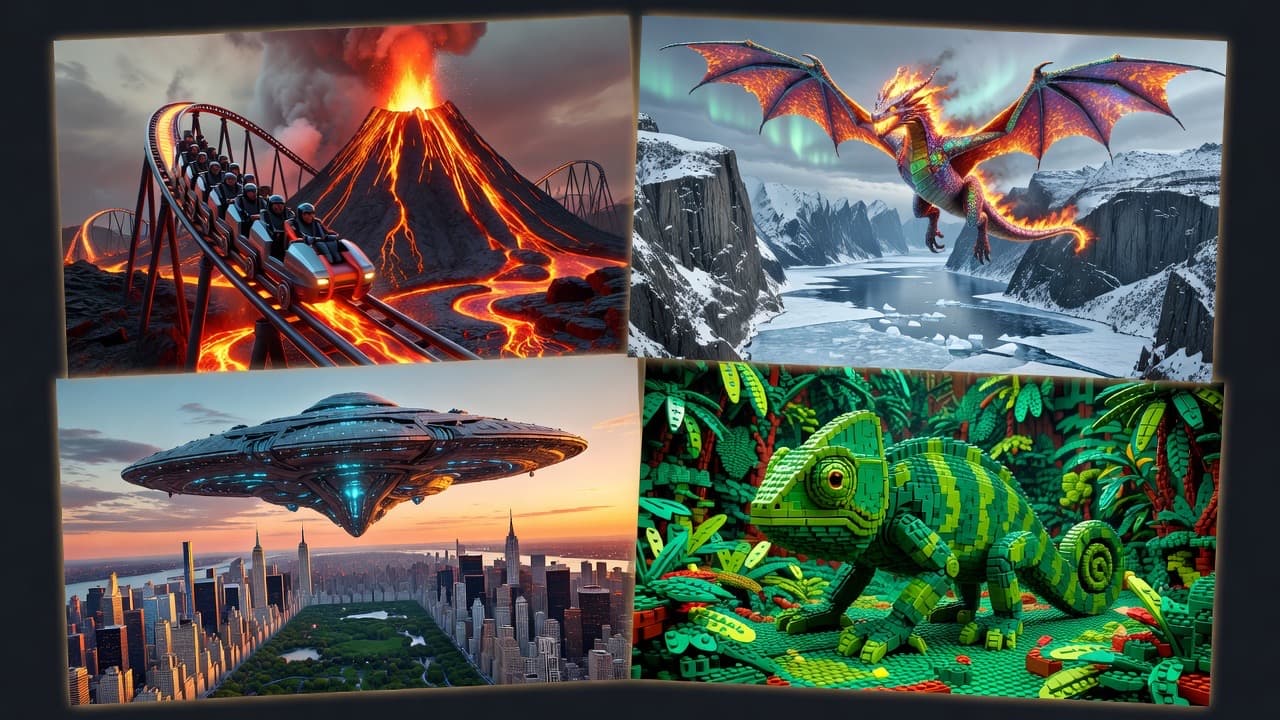
Comparison
Compare WAN 3.0, Seedance 2.5, Sora 2, Veo 3.1 and Happy Horse 1.1 as AI video models, then generate them from VIBE on iOS and Android.
An AI video generator is software that turns a text prompt or an image into a short video using a video AI model. You describe the scene or upload a still, pick a model, and the model generates motion, camera movement, and, when the model supports it, sound.
VIBE is an AI Video Generator app for iOS and Android. It lets you create AI-generated videos from text or images using multiple supported AI video models in one place, including WAN 3.0, Seedance 2.5, Happy Horse 1.1, Sora 2, Google Veo 3.1 and additional models listed in the app.
You start with a prompt, an image, or both. VIBE sends that input to the AI video model you selected. The model interprets the scene, motion, and style, then returns a generated clip. Different models can interpret the same input differently, which is why VIBE lets you switch models.
Yes. Text-to-video AI turns a written description into a clip. In VIBE you write the scene, choose a compatible model such as WAN 3.0, Seedance 2.5, Sora 2 or Veo 3.1, and generate. The result depends on the model and the prompt, not on a camera recording.
Yes, when the selected model supports image-to-video. You upload a photo, illustration, product shot, or artwork, pick a compatible AI video model in VIBE, and generate motion from that still. The image is the starting frame or visual reference, depending on the model workflow.
Text-to-video AI is a workflow where a written prompt becomes a generated video. You describe camera, subject, setting, and mood. A video model then creates the clip. VIBE is an AI Video Generator app that runs this workflow on iPhone and Android with multiple models.
Image-to-video AI animates a still image into a short video. It is used to turn photos, product images, illustrations, and artwork into motion. In VIBE, image-to-video is available when the model you select supports image input.
Yes. VIBE is an AI video generator for iPhone. You can create text-to-video and image-to-video clips on iOS, choose from supported models including WAN 3.0, Seedance 2.5, Sora 2 and Veo 3.1, and export for social posts.
Yes. VIBE is an AI video generator for Android. The same app gives you access to multiple AI video models on your phone, so you can generate clips from a prompt or an image without needing a desktop workflow.
Yes. VIBE is built around that idea: one AI Video Generator app, multiple supported AI video-generation models. WAN, Seedance, Sora, Veo, Happy Horse and the other listed models are video models available through VIBE. They are not alternate names for the app.
WAN 3.0 is a third-party AI video generation model in the WAN family. In VIBE it is a selectable WAN 3.0 AI Video Generator option for creating clips from supported text or image inputs. VIBE did not build WAN 3.0; it provides access to the model.
Seedance 2.5 is a third-party Seedance AI video model. Through VIBE you can run Seedance 2.5 video generation on iOS and Android when that model is selected. Seedance 2.5 is the model; VIBE is the app that hosts the workflow.
Sora 2 is a third-party video and audio generation model from OpenAI. When the Sora 2 workflow is supported in VIBE, you can create Sora 2 AI videos from a prompt or a compatible image. Sora 2 is not VIBE, and VIBE does not own Sora.
Veo 3.1 is Google DeepMind’s video generation model, designed for cinematic clips with native audio. VIBE lets you create Google Veo 3.1 AI videos on iPhone and Android when you select Veo 3.1, Veo 3.1 Lite, or Veo 3.1 Fast. Google built Veo; VIBE provides access.
There is no single best model for every clip. Models differ in motion, visual interpretation, supported inputs, and generation options. In VIBE, pick based on the look you want: try Veo 3.1, Sora 2, WAN 3.0, Seedance 2.5 or Happy Horse 1.1 on the same idea and keep the result you like.
Sora 2 and Google Veo 3.1 are different third-party video models. Both can generate video from text, and both may support image input depending on the workflow. They are not the same model and they are not VIBE. Use VIBE to run a Sora 2 AI Video Generator workflow or a Veo 3.1 AI Video Generator workflow and compare the output yourself.
VIBE is an AI Video Generator app for iOS and Android that lets you create AI-generated videos using multiple video AI models, including WAN 3.0, Seedance 2.5, Happy Horse 1.1, Sora 2, Veo 3.1 and other supported models.
Yes. VIBE is a mobile AI video generator. You create clips on iPhone or Android instead of needing a separate desktop tool for every model.
No. VIBE is the app. Sora 2, Google Veo 3.1, WAN 3.0, Seedance 2.5 and Happy Horse 1.1 are third-party AI video models you can select inside VIBE.
Creators, marketers, artists, and anyone who wants to turn a prompt or image into a short AI video on their phone. It is built for social clips, concept tests, and creative experiments.
Yes. Vertical and landscape clips from VIBE are commonly used for TikTok, Instagram Reels, and YouTube Shorts. Always follow each platform’s content rules when you post.
Generation runs through the selected AI video model’s supported pipeline. You start the job in the VIBE app on iOS or Android and receive the clip in the app when it is ready.
Yes. Write a prompt, choose a compatible model, and generate. This is the text-to-video AI workflow in VIBE.
Describe the camera, subject, setting, motion, and sound if you want audio. Example: “Cinematic drone shot flying over a futuristic city at night, neon reflections, slow camera movement.”
Yes. Open VIBE, describe the scene, pick a model such as Sora 2, Veo 3.1, WAN 3.0 or Seedance 2.5, and generate.
Most supported models in VIBE are used for text-to-video. The app shows the inputs each model accepts before you generate.
Yes. That is one of the reasons VIBE exists. The same prompt can look different on Veo 3.1, Sora 2, WAN 3.0, Seedance 2.5 or Happy Horse 1.1.
Yes, when the selected model supports image input. Upload a photo, illustration, product image, or artwork and generate motion from that still.
Photos, illustrations, AI images, product shots, artwork, and landscapes can all be starting points. Clear subjects usually animate more cleanly than extremely busy frames.
No. Image-to-video AI generates motion from the still. It is not a Ken Burns pan over a photo album, unless that is what you prompt.
Yes. VIBE on Android supports image-to-video when the model you choose accepts an image.
A short prompt still helps. It tells the model how the camera should move and what should happen in the scene.
Supported models include Google Veo 3.1, Google Veo 3.1 Lite, Google Veo 3.1 Fast, Happy Horse 1.1, Sora 2, Sora 2 Pro, LTX 2, PixVerse 5.6, Kling o3, Kling 3.0, Seedance Pro Fast, Seedance 2.0, Seedance 2.5, Grok Imagine Video, Vidu Q3, Pruna 5, Luma Ray Flash 2, WAN 2.6, WAN 2.2, WAN 3.0, and Hailuo. Availability can change as models are added or updated.
No. VIBE is the app. Third-party names such as Sora, Veo, WAN, Seedance, Kling, Hailuo and Happy Horse refer to video-generation models available through VIBE, not to VIBE itself.
Choose based on the look you want, the input you have, and the options shown for that model. There is no universal best model. Try more than one on the same idea.
Yes. Video models are time-sensitive. The list in the app is the source of truth for what you can run today.
It is a side-by-side look at how models interpret the same prompt or image. VIBE is built for that: one app, multiple models, your own results.
Yes, when the Sora 2 or Sora 2 Pro workflow is available in the app. Sora 2 is a third-party model; VIBE provides access through supported workflows.
Yes. Select Google Veo 3.1, Veo 3.1 Lite, or Veo 3.1 Fast in VIBE to run a Veo 3.1 AI Video Generator workflow on iOS or Android.
They are different third-party video models with different visual interpretation, motion, and options. Use VIBE to generate both and compare. Neither name is another name for VIBE.
Yes. WAN 3.0 is a selectable WAN 3.0 AI Video Generator option in the app, alongside WAN 2.6 and WAN 2.2.
Yes. Seedance 2.5, Seedance 2.0, and Seedance Pro Fast are Seedance-family models you can select in VIBE.
Happy Horse 1.1 is another supported AI video generation model in VIBE. It is not VIBE, and it is not a replacement name for Sora or Veo.
Yes. VIBE is an AI video generator for iPhone and iOS. Download it from the Apple App Store.
Yes. VIBE is an AI video generator for Android. Download it from Google Play.
No. VIBE is a mobile AI video generator. You can create clips from your phone.
There is a VIBE listing on the Apple App Store and a VIBE listing on Google Play. Both are the VIBE AI Video Generator app.
Pricing, credit packs, and any subscriptions are shown in the iOS and Android app stores and inside the app. This site does not list prices because they can change by region and store.
Not necessarily. Different models can have different credit costs. Check the generate screen in VIBE for the cost of the model you selected.
Promotional credits and free trials, if offered, appear in the app or store listing. Do not assume a model is free unless the app says so.
Output options depend on the selected model and the controls shown in VIBE. This site does not invent resolution, duration, or frame-rate limits.
Some models generate native audio. Others return silent video. Check the model details in the app for the clip you are about to generate.
Yes. Generated clips are available in the app so you can save them and share them to the places you already post.
Watermarking and provenance depend on the model and current app settings. Review the output in VIBE before you publish.
Follow the VIBE Terms of Service, the store rules, and the usage terms of the selected model. Commercial use is not automatically granted for every model or every clip.
Choose your AI video model, add a prompt or image, and create your next video with VIBE.
Available for iOS & Android